[Internal] Closing Entity Tags - Overview
Overview:
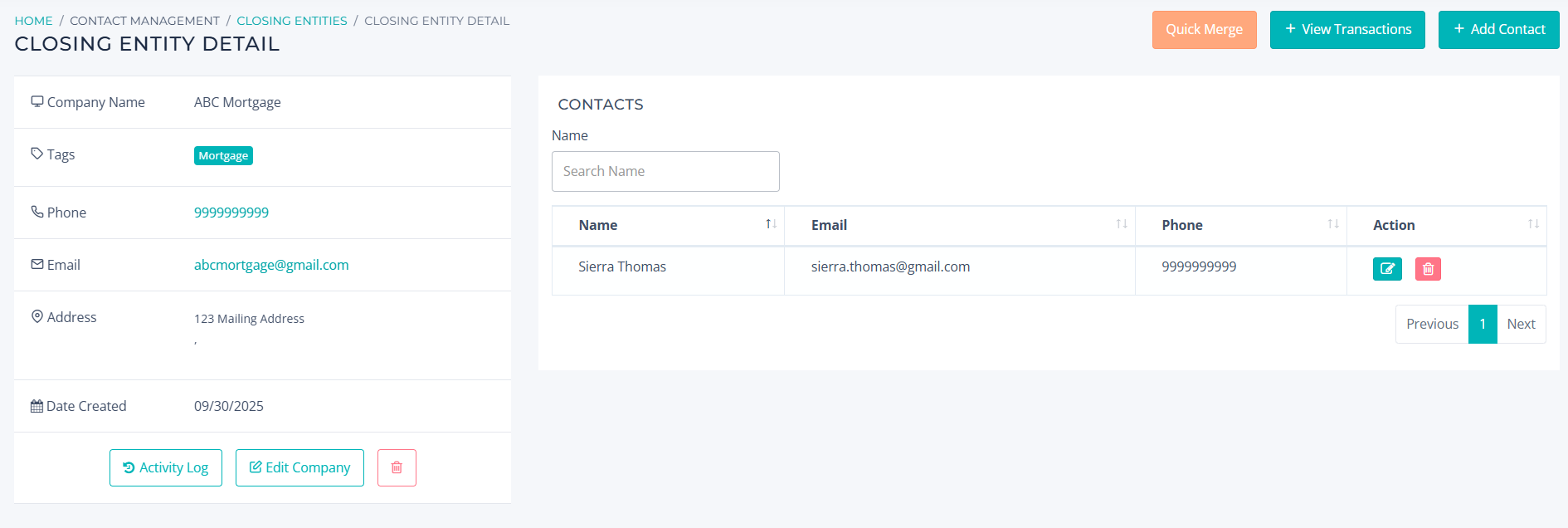
In this article, we will review the specific use for each Closing Entity Tag and view a sample entity to see how to configure additional details, such as contacts.
Quick Reference:
In Brokerage Engine, closing entities are assigned tags that dictate transaction handling and determine if a vendor profile is mandatory. To find the Closing Entity section, navigate to the Transactions module, select Pending, and locate the field in the top-right corner.

Types of Closing Entities:
- Disbursement - No vendor profile required; used for title companies.
- Mortgage - No vendor profile required; used for mortgage companies.
- Referral - Vendor profile required; used for referral companies.
- Other - Vendor profile required; used for brokerage disbursement fees. Ensure the fee is configured with a Brokerage disbursement type.
When creating a closing entity, you can add and edit company details. While only the Company Name and Tag are required, title and mortgage companies also require the addition of a Title Close or Mortgage Officer as a contact.
Note: To ensure accurate data on the Closing Entity Ranking Report, we recommend adding only one primary contact per entity.