New Written Transaction Report
Overview:
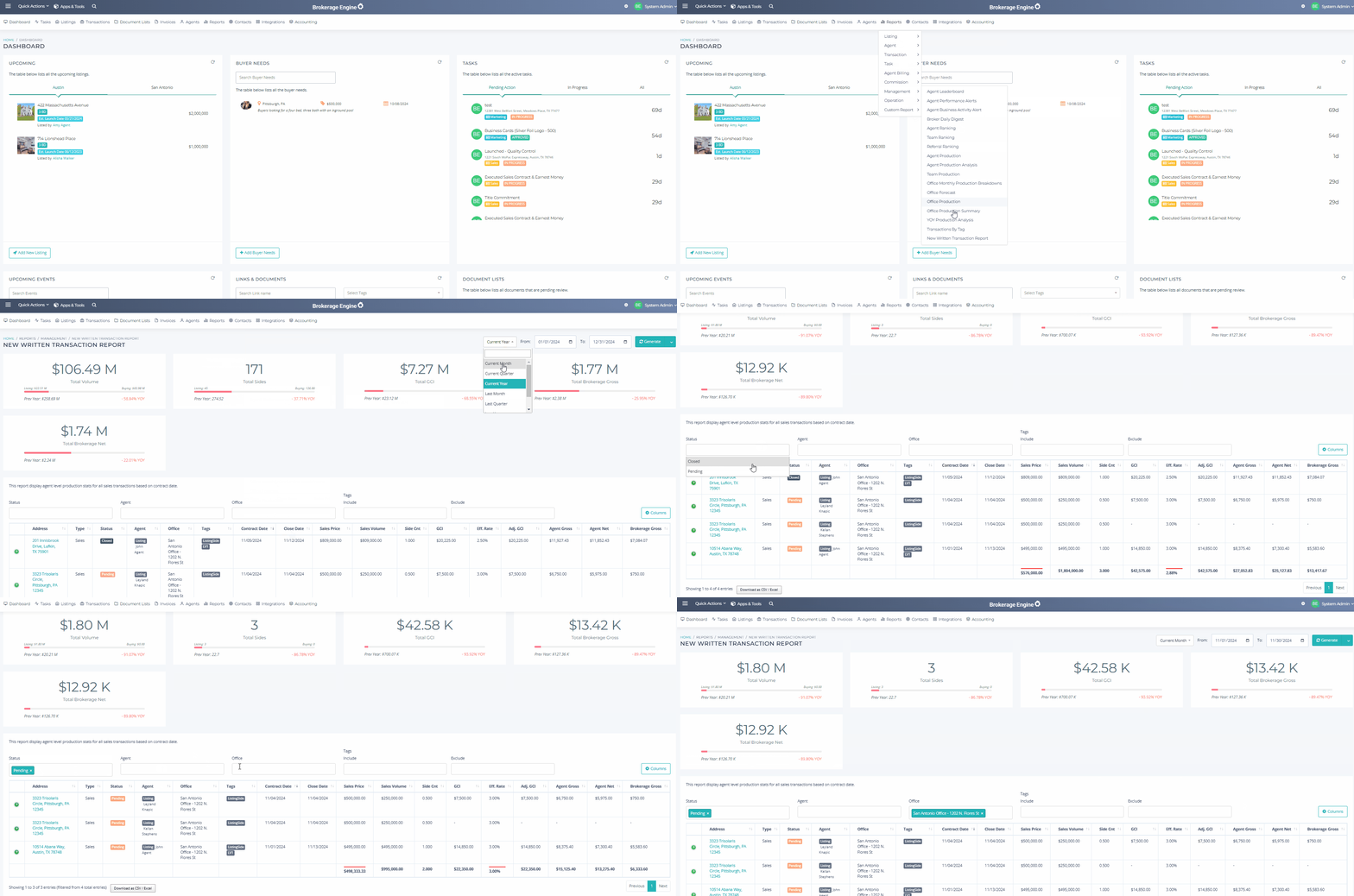
In this article, we will cover how to locate and use the New Written Transaction Report. This report provides insights into transactions based on their Contracted Date, with several filtering and export options available.
Permission Level: Admin + Billing
Report Details:
Runs on Contracted Date
Offers dynamic date filtering
Includes the following key performance indicators:
Total Volume
Total Sides
Total GCI
Total Brokerage Gross
Total Brokerage Net
Includes the following statuses:
Pending
Closed
Cancelled
Filter options available:
By Status
By Agent
By Office
Tags
Export options:
Excel/CSV
PDF
Important to Know:
- Each metric also displays the previous year's total and the year-over-year (YOY) change
- Include or exclude specific data fields using the Columns tool
Please find the available resources below.
Navigation:
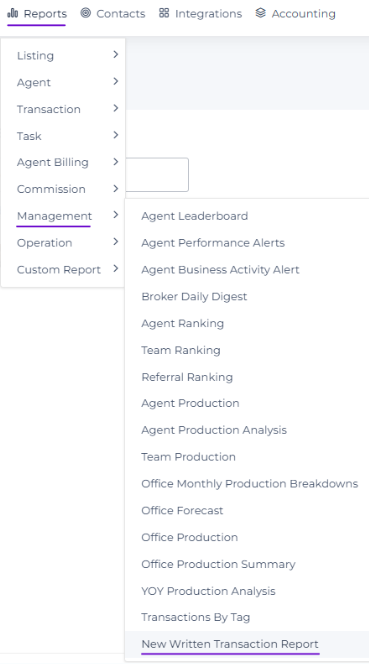
Click directly on image to enlarge