 |
SYSTEM UPDATE |
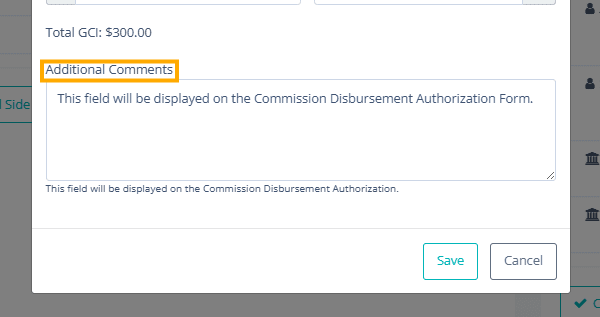
Additional Comments Field for CDA Grouping
We’ve added a new Additional Comments field to improve clarity and communication within CDA workflows. When editing CDA Grouping, users will now see an “Additional Comments” text field within the pop-up whenever “By Brokerage” is selected. Once saved, these notes will automatically appear on the CDA detail page under a clearly labeled Additional Comments section, with the title displayed in bold for easy visibility. |
 |
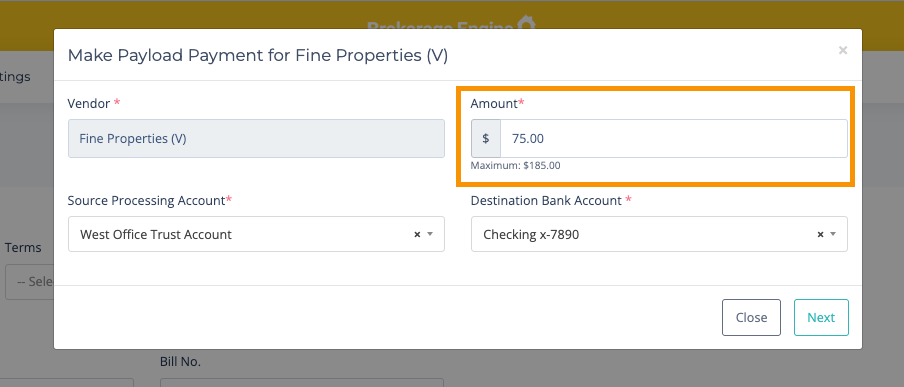
Custom Payment Amounts in Payload Billing
We’ve added a small but powerful enhancement to the Make Payload Payment workflow in Accounting. Users can now specify exactly how much to pay on a bill, giving you more control and flexibility over your payments.
This feature supports partial payments using the Payload Agent Billing functionality, making it easier to manage cash flow and apply payments that fit your needs - directly within the system. |
 |
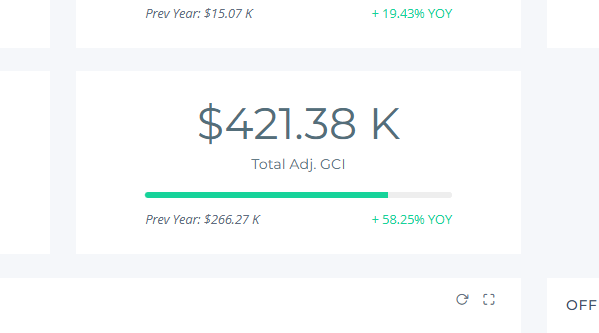
Adj GCI Widget Added to Closed Transaction Report
We’re excited to share a new enhancement to your Closed Transaction Report!
You can now view Adj GCI directly in the report. Previously, you could only see Total GCI and Total Referral in the dashboard widgets, and had to scroll to the bottom to find the adjusted value. With this update, we’ve added a dedicated Adj GCI widget to make your reporting faster and more efficient. |
 |
If you're interested in any of the new features mentioned above, please contact your Customer Success Manager. If you're not sure who your CSM is, please reach out to our support team at help@brokerageengine.com.
- The Brokerage Engine Team |